For publishers
Pricing review
Confirm or update the prices Serpier pays you when a pricing review email arrives, from the email or from My Deals, or opt out of the reminders.
Open Pricing review in SerpierThe price on each of your deals is what Serpier pays you, so Serpier asks you to check it when a deal has not been updated in 6 months. You can confirm from the email without signing in, or sign in to change prices on My Deals. A changed price applies to new orders; articles already ordered keep their agreed price (see Get paid for a placement).
Why you got a pricing email#
The email is titled "Please review your Serpier pricing". It lists Deals to review with each domain, type, and Price, plus niche prices where a deal has them. A large catalog is summarized as a count instead. SEO Publication means the article includes at least one dofollow link; AI Publication means no links, or nofollow links only.
From the email you can:
- Open publisher platform: sign in, or create access if you are new, and update prices on My Deals. See Getting started as a publisher.
- Confirm your prices are still correct: confirm without signing in.
- Click here to opt out: stop the reminder emails.
If Serpier hears nothing, a follow-up about a month later is titled "Action required: review your Serpier pricing". It warns that your listings may be removed from the Marketplace if you still do not respond.
Confirm from the email#
Confirm your prices are still correct opens Review your Serpier pricing, with the same deal list or summary.
- Check the prices listed.
- Select Confirm prices.
The page shows Pricing confirmed and the time. If a recent confirmation is already on file, the button reads Already confirmed. If the page says No active direct deals were found for this workspace., there is nothing to confirm.
Change prices on My Deals#
When a price is wrong, change it instead of confirming it.
- Select Open publisher platform in the email and sign in. If deals need review, My Deals opens filtered to them.
- Open each deal that has changed, update its Price or niche prices, and select Save Link.
- Confirm the rest, as below.
Confirm from My Deals#
When a pricing email is outstanding, or when you filter My Deals to Needs review, a Prices still correct? banner appears above the table. Show deals to review narrows the table to deals not updated in 6 months.
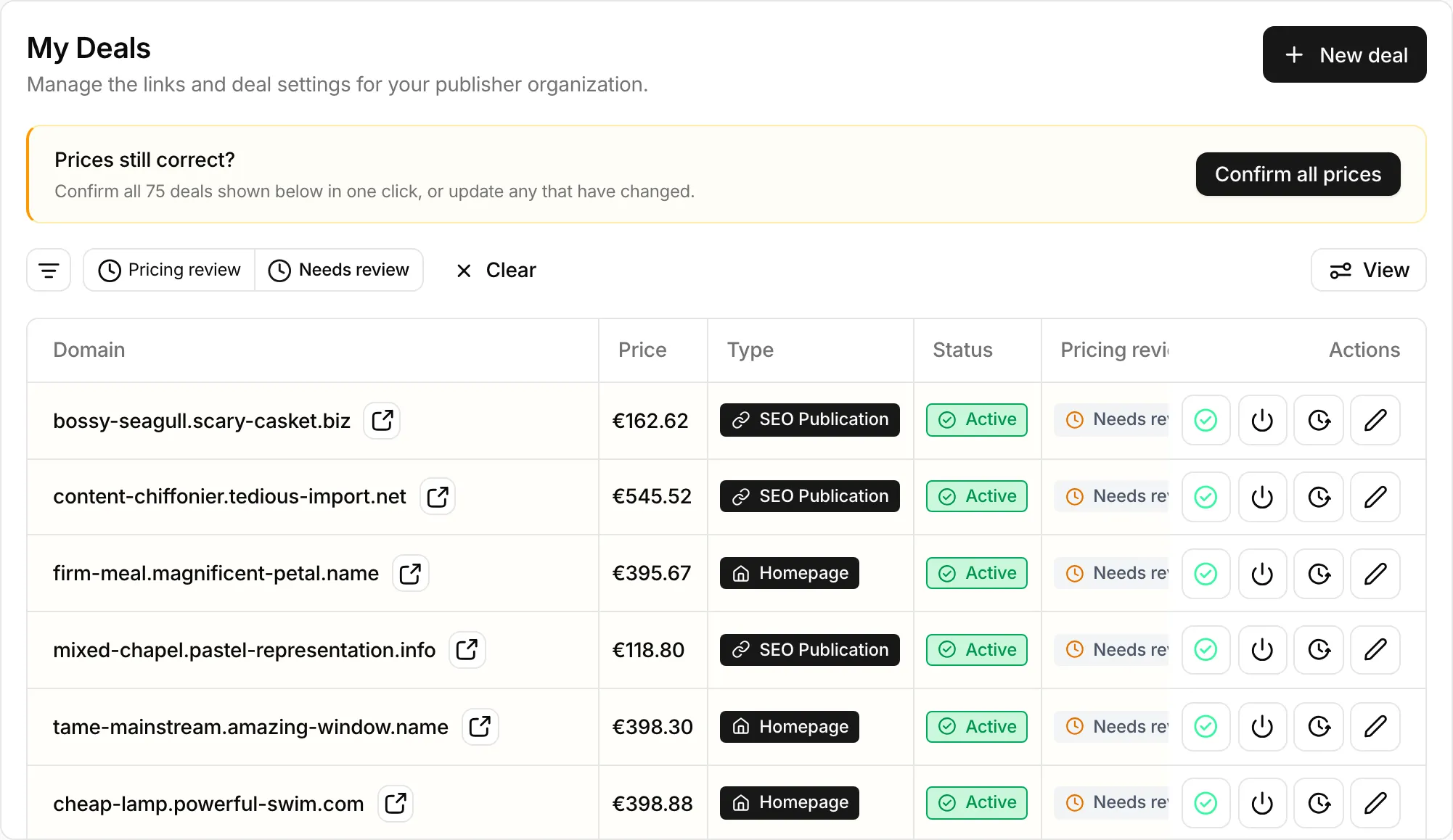
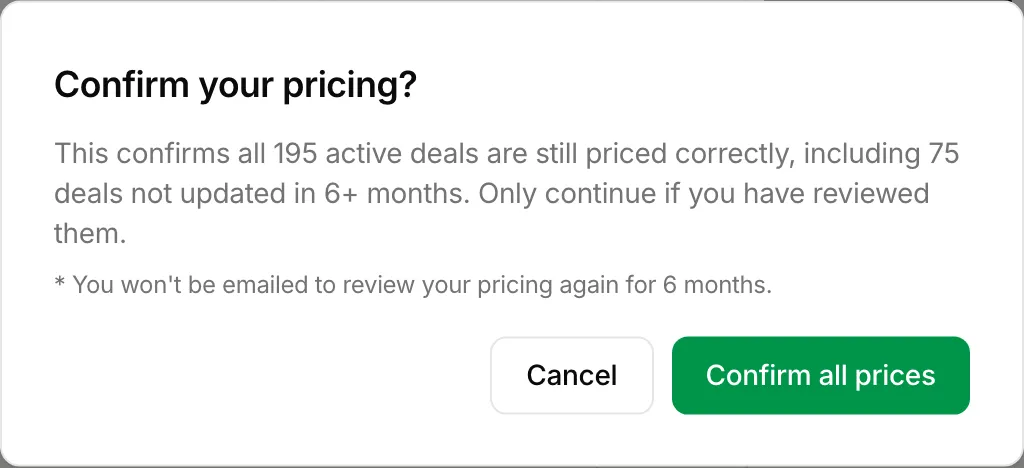
Confirm prices (or Confirm all prices while the filter is on) asks you to confirm that every active deal is still priced correctly. To confirm one deal only, use the check mark on its row.
Stop the reminders#
Click here to opt out in the email opens Opt out of pricing confirmation emails. Select Click here to opt out, and the page says You are opted out. You can still review and update prices on My Deals. To get the emails again, contact your Serpier media manager.
If a link does not work#
Open these pages from the links in the email. A link without its token shows Missing confirmation token or Missing opt-out token. An expired or invalid link shows This link is no longer valid; ask your Serpier media manager for a fresh one.