Buying publications
Orders
Follow every publication from checkout to a live link: add the brief, approve content, and replace placements a publisher declined.
Open Orders in SerpierAn order is created when you check out your cart. From then on, Orders is where you follow each publication to a live link: give Serpier the brief it needs, approve the content, and pick a replacement if a site turns a placement down. The Publication Tracker takes over once links are live.
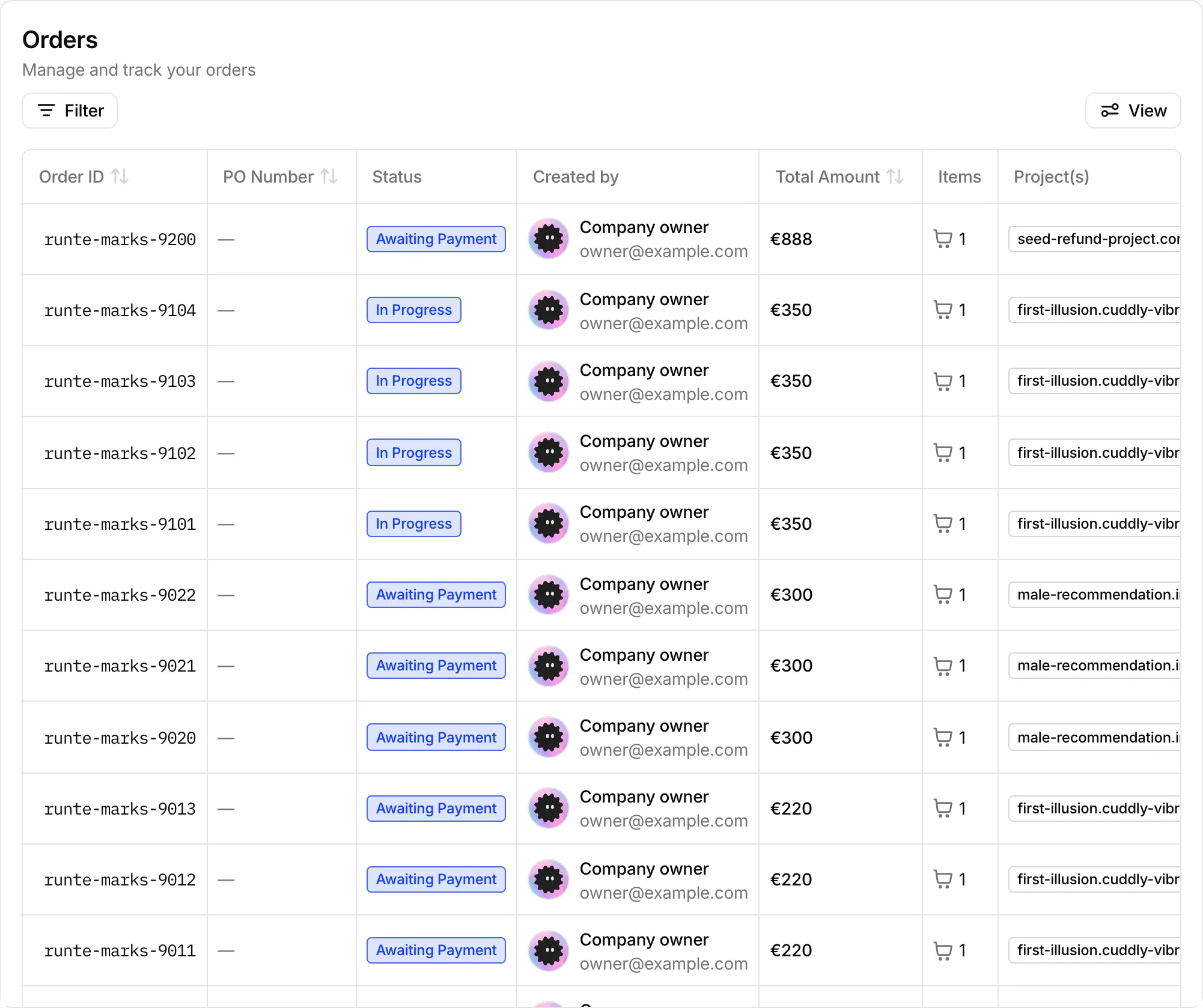
What needs your attention#
Look for Action Required. An order shows it when at least one publication is missing details or has content waiting for your review. Nothing moves until you act.
An order's status is one of:
- Awaiting Payment: the invoice is not paid yet. Content work starts after payment. See Billing.
- Action Required: a publication needs a brief, or content is ready for you to review.
- In Progress: Serpier is writing or the publisher is placing the content.
- Delivered: every publication is live or refunded.
- Cancelled
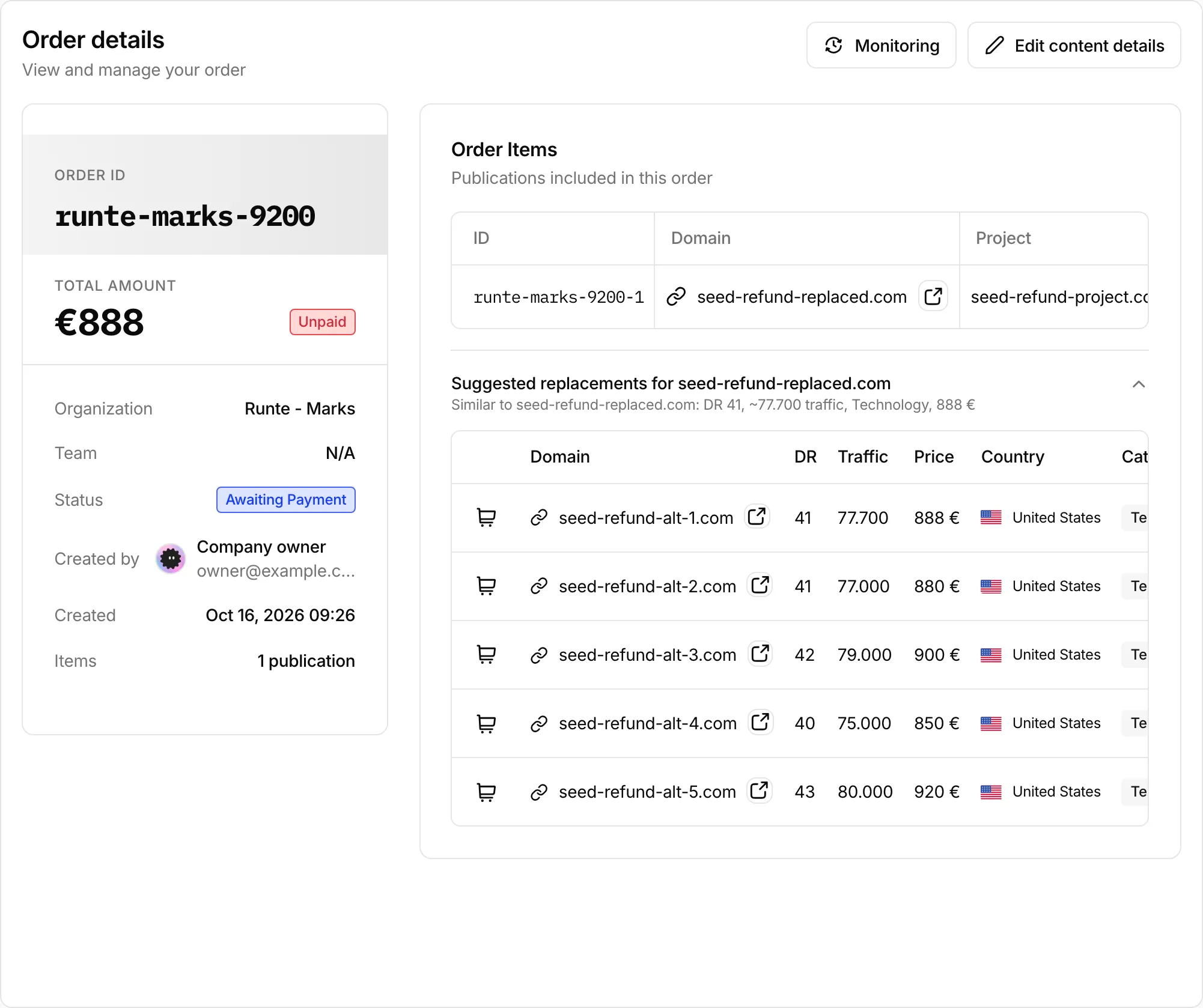
Open an order to see each publication on its own row with its own status:
- Action Required: details are missing, or content is ready for review.
- In Progress
- Delivered: the link is live. Open live link takes you to it.
- Rejected: the content was rejected.
- Refunded: the placement was refunded. The badge shows the reason when one was recorded, for example Niche not accepted.
Add a brief#
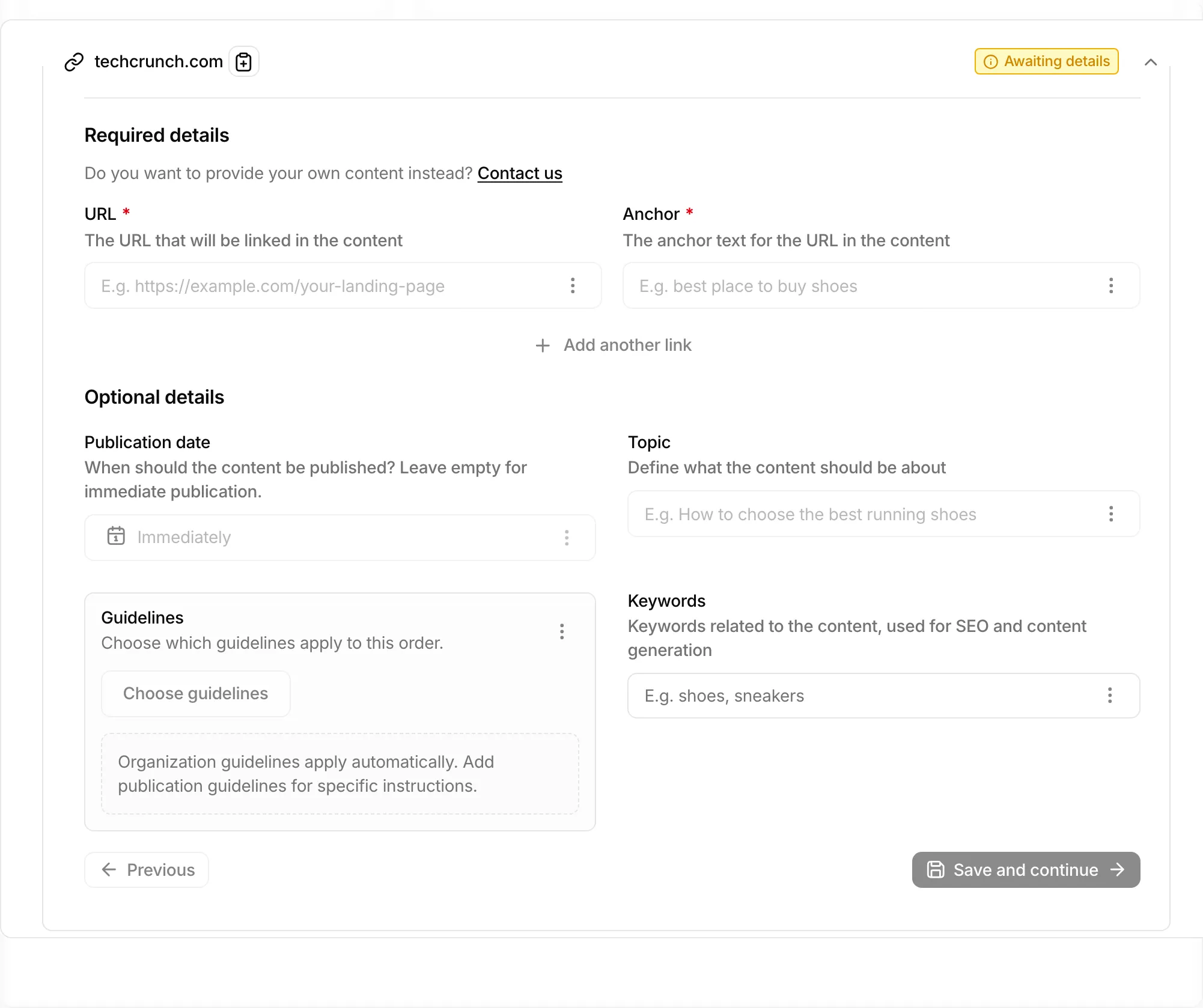
Serpier needs a brief before it can write or place anything. Right after checkout, Add details for content opens if anything is missing. You can come back to it any time with Edit content details on the order, or Input Details on a single publication.
- Fill in the required fields for each publication. What they are depends on the content product you chose:
- SEO Publication: the URL to link to and its Anchor. Add a second link with Add another link. Topic, Keywords, and Publication date are optional.
- Homepage: URL and Anchor, plus an optional Publication date.
- AI Publication (Brand mention, PR Post, or Co-citation): Company name / site name and the AI Visibility prompts you want to show up for. A PR Post also asks What's the news?
- Manual (you supply the article): a Google Docs URL, or paste it into Write content here.
- Use Apply to... to copy a field to the other publications in the order instead of typing it again.
- Select Save and continue.
Leave Publication date empty, or choose Immediately, to publish as soon as the content is ready.
If the order is unpaid when you close the brief, Payment Required reminds you that content creation waits for payment.
Approve or request changes#
When Serpier has written a piece, the publication shows Action Required and a Review button. Review Content shows the article next to its Content Details.
- Approve Content accepts it as it is.
- Edit Content lets you fix small things yourself, then Submit Changes & Approve.
- Request Changes asks for a new version. Say what is wrong in the optional reason, then Reject Content.
Once content exists, View content, Open document, and Open URL open it at any time.
When a placement is refunded#
Publishers sometimes decline a placement, for example because your niche is not accepted on their site. The publication is refunded and the order shows Suggested replacements for that site: similar sites with their DR, Traffic, Price, Country, and Category.
Add one to your cart with the cart button on its row, then check out as usual. If nothing similar is available, the panel links you to the Marketplace.
Track live links#
Monitoring on an order opens it in the Publication Tracker, which checks that each live link stays up and keeps its attributes. SEO Performance shows whether the placements turn up as new referring domains and move your rankings. Navi can also answer questions about your orders and their status.