For publishers
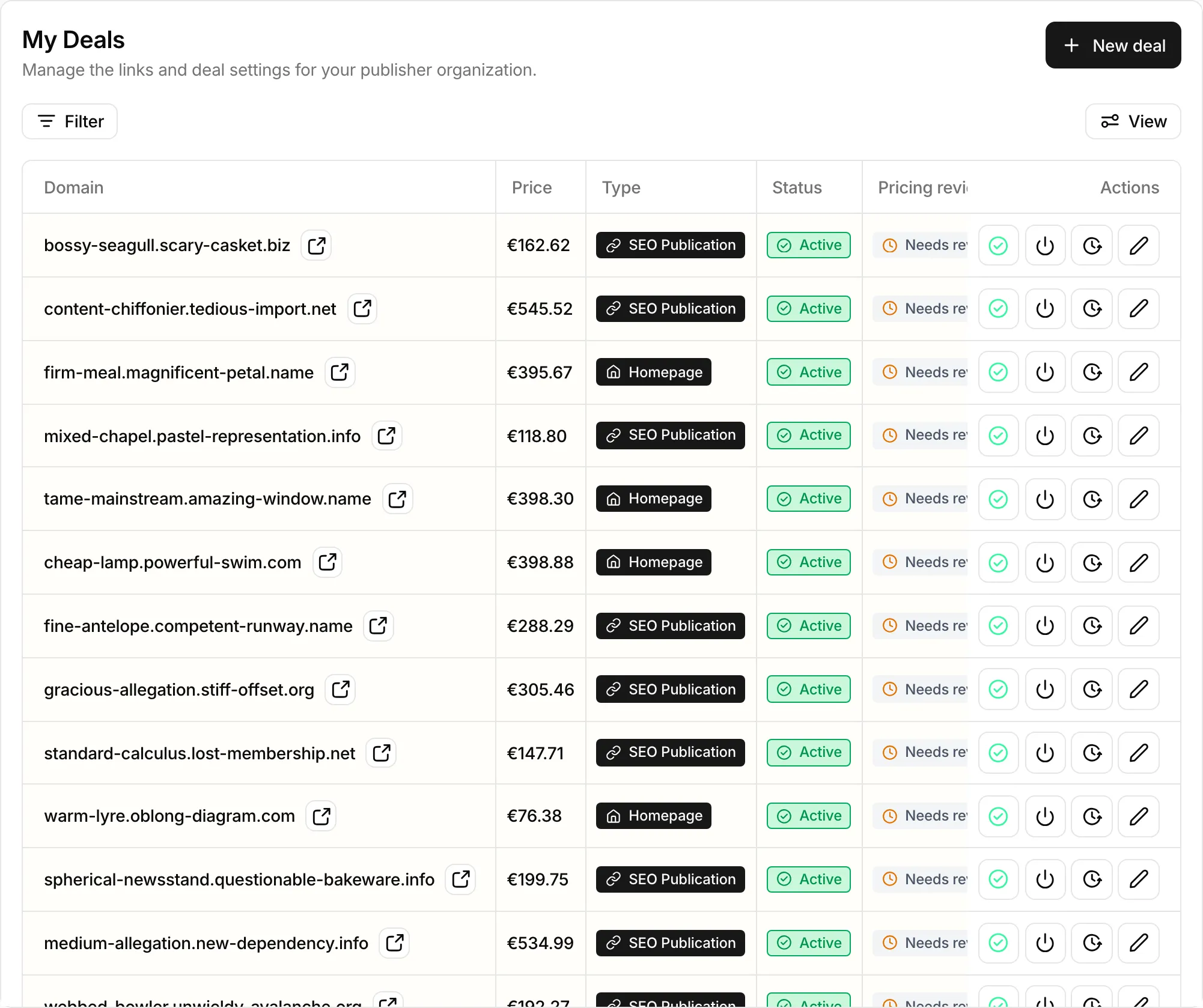
My Deals
List each site you sell with its price, publication type, and niche prices, get it approved, and pause or reprice it so advertisers can keep ordering.
Open My Deals in SerpierA deal is one of your sites, sold as one publication type, at the price Serpier pays you. Once Serpier approves a deal, advertisers can order it in the Marketplace, and the articles they order reach you in Publications. If you have not joined your workspace yet, start with Getting started as a publisher.
Add a deal#
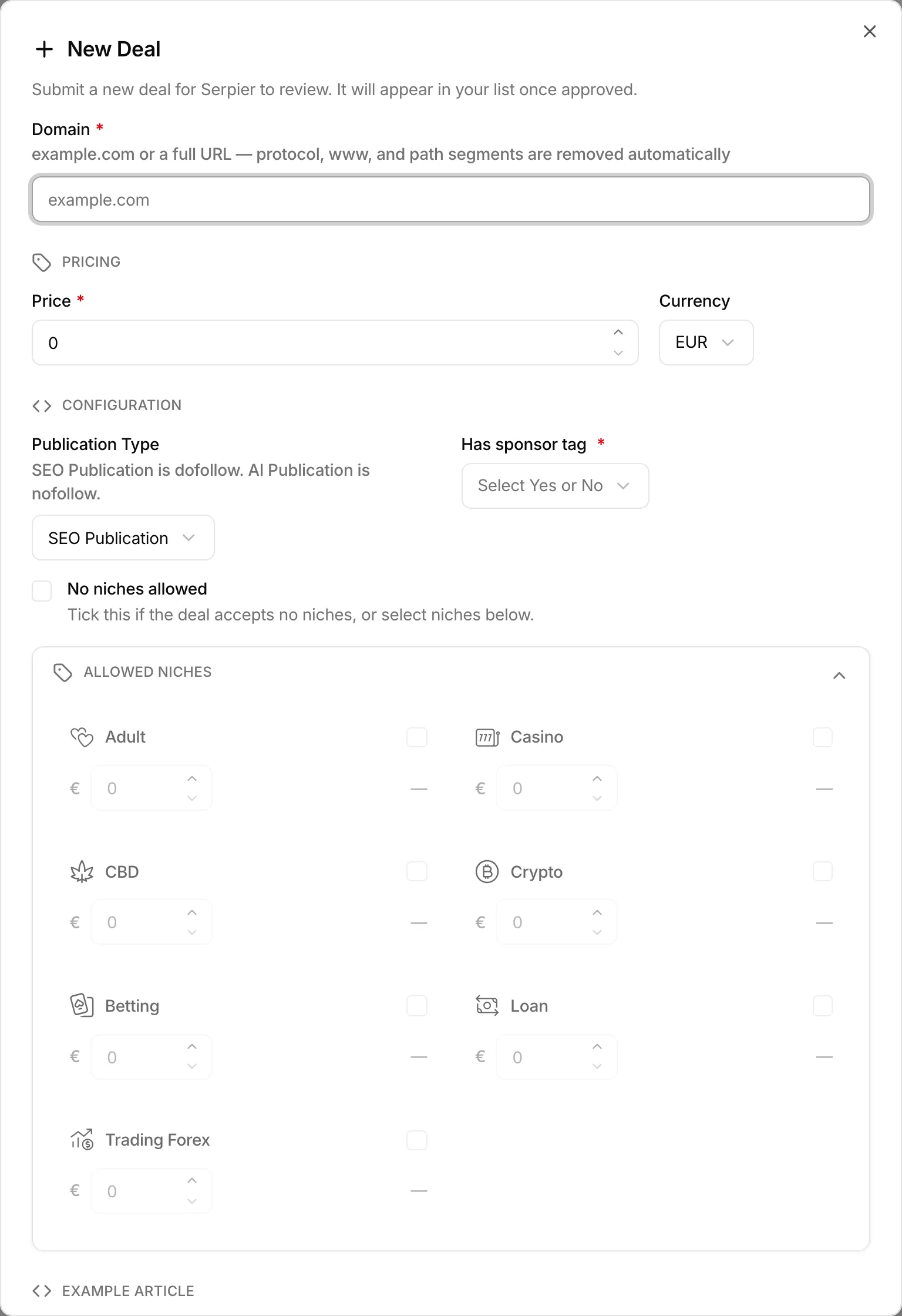
- Select New deal.
- Enter the Domain, as
example.comor a full URL. Serpier strips the protocol,www, and path. - Set the Price you want to be paid and its Currency. A price of 0 asks you to confirm a free deal.
- Choose the Publication Type (see below) and whether the site Has sponsor tag.
- Tick the niches you accept under Allowed Niches, or tick No niches allowed.
- Optionally add an Example Article URL, Guidelines (word count, number of links, topics, placement rules), and Notes.
- Select Submit for approval.
You cannot add the same domain with the same publication type twice. A domain Serpier does not accept shows Domain is not available on Serpier.
Choose a publication type#
Sell the same site as more than one type by adding one deal per type.
- SEO Publication: the article includes at least one dofollow link.
- AI Publication: the article contains no links, or nofollow links only.
- Homepage: a link from the site's homepage. Homepage placements last 12 months, so set a price that covers 12 months.
Price sensitive niches#
The niches you can accept are Adult, Casino, CBD, Crypto, Betting, Loan, and Trading Forex. Each niche you tick gets its own price in the deal currency, which cannot be lower than 80% of the base Price. The form shows each niche price as a multiple of the base price, for example 1.50x.
What happens after you submit#
A deal's Status tells you whether advertisers can order it:
- Pending approval: Serpier is reviewing it. It cannot be ordered yet.
- Active: approved and listed in the marketplace.
- Inactive: switched off and hidden from the marketplace.
- Rejected: Serpier declined it. Hover the badge to read why.
To fix a rejected deal, open it, update it, and select Resubmit for approval. A deal marked Not open for resubmission can only be viewed; use contact support on it to ask for a review in Messages. You can Delete a rejected deal, which removes it for good.
Change a price or other details#
Open the deal, edit it, and select Save Link. The domain cannot be changed after the deal is created.
A new price applies to new orders only. An article already ordered keeps the price agreed at the time, and the article shows both; see Get paid for a placement. View history on a row opens Deal History, which shows who changed the deal and its niche prices.
Pause a deal#
Deactivate deal on a row hides an approved deal from the marketplace until you Reactivate deal. From the table, the reason is recorded as Temporarily Unavailable. To give another reason, open the deal, switch Status to Inactive, and pick a Reason for Disabling, such as Not Reachable or Site No Longer In Portfolio. Other lets you type your own, up to 100 characters.
Confirm your prices are still correct#
Pricing review shows Needs review on an active deal that has not been updated in 6 months, and Up to date otherwise. Confirm one deal with the check mark on its row, or all of them at once from the Prices still correct? banner. See Confirm from My Deals.
Update many deals at once#
The page edits one deal at a time. To create or update up to 1,000 deals in one request, use the publisher deal endpoints of the REST API. Create a token for them in Account settings.