Monitoring
Publication Tracker
Check that every link you bought or added stays live, indexed, and as ordered, and spot edits to the article before they cost you the link.
Open Publication Tracker in SerpierA link only keeps its value while the page stays up, stays in Google, and keeps the link you paid for. The Publication Tracker checks that for you once a publication from your orders is live, and for articles you add yourself. When something breaks, it shows exactly what changed. SEO Performance shows whether your links move your search rankings, and AI Visibility whether AI answers mention you.
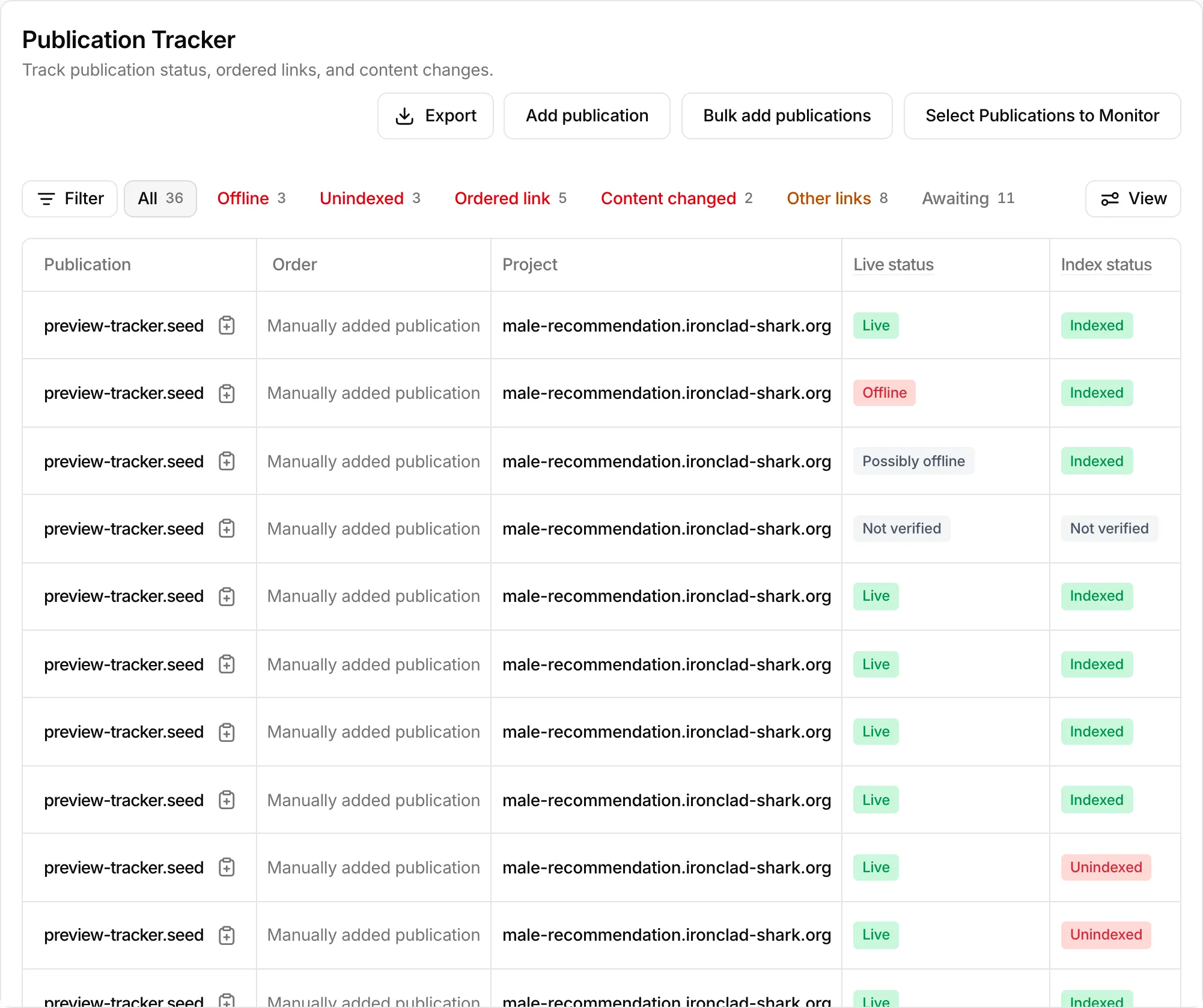
Choose what to track#
Placements you bought do not appear in the table until you select them.
- Choose Select Publications to Monitor. It lists each project and the publications on it.
- Tick the publications you want to track.
- Select Save changes.
Your plan sets how many projects and publications you can track, and the dialog shows those limits. Upgrade plan raises them. Monitoring on an order opens the tracker filtered to that order.
Track an article you did not buy here#
Use Add publication for a single URL:
- Enter the Publication URL and pick the Project it links to.
- Set the Anchor Text you expect, and the Anchor Rel: dofollow, nofollow, or sponsored.
- Select Add Publication.
Bulk add publications does the same for a list of URLs. You can edit or delete articles you added from the row menu. Bought placements cannot be edited or deleted.
Find what needs attention#
The quick filters above the table count the publications with a problem on their latest check:
- Offline: the page did not load.
- Unindexed: Google has not indexed the page, so it cannot appear in search results.
- Ordered link: the link you ordered is missing, or its URL, anchor text, or link type changed.
- Content changed: the article text no longer matches what you approved.
- Other links: outbound links were added or removed since approval. This does not affect your own link, but a new competitor link may matter to you.
- Awaiting: no full check has finished yet.
In the table, Target URL, Anchor text, and Link type show Match or No match against what you ordered. Not verified means the latest check failed, so the field could not be confirmed. Articles you added yourself have no approved text to compare, so their content is not checked.
See what changed on an article#
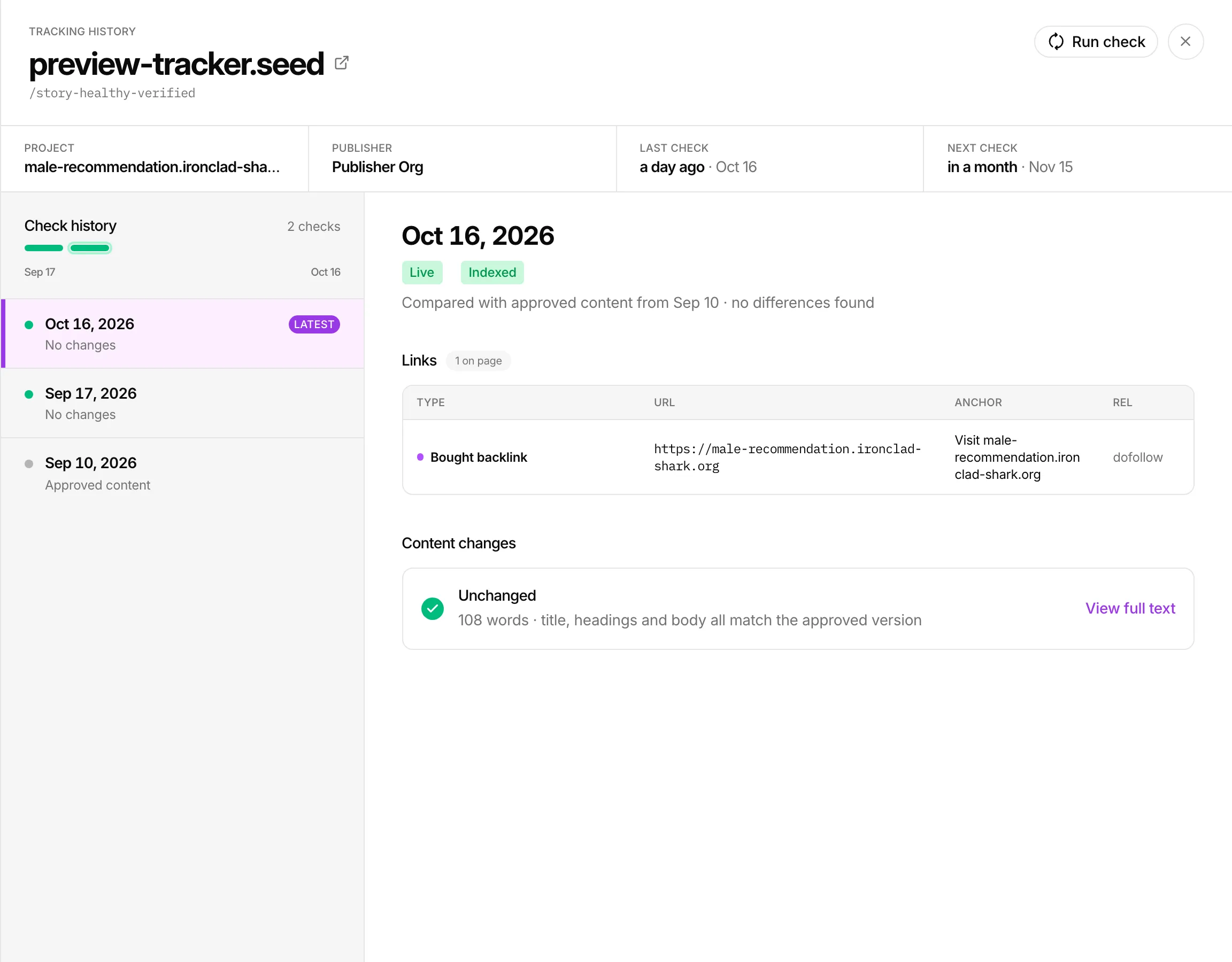
Click a row to open Tracking history. It shows every check on a timeline, the links found on the page with your bought link marked, and how the text compares with the approved version. Select a day to see the result of that check.
When checks run#
A live page is checked every 30 days and an offline page every 7 days. Last check shows when the tracker last looked, with the next check under it. To check now, choose Run check in the row menu or in Tracking history. The row shows Queued until the result is in.
Get alerts and export#
Turn on Monitoring alerts in your notification settings to hear when a tracked article is not live, is unindexed, or has a link problem. The alert opens the Publication Tracker.
Export downloads the table as CSV. It is included on the Growth and Enterprise plans. On other plans the button reads Upgrade to export; see Billing.