Buying publications
Marketplace
Find publisher sites that fit your project, compare price, authority and traffic for SEO, AI and homepage placements, and add the ones you want to your cart.
Open Marketplace in SerpierThe Marketplace is where you choose the sites to publish on. Pick the project you are buying for, find sites that fit it, and add placements to your cart. Nothing is charged until you check out. After that, each placement becomes part of an order.
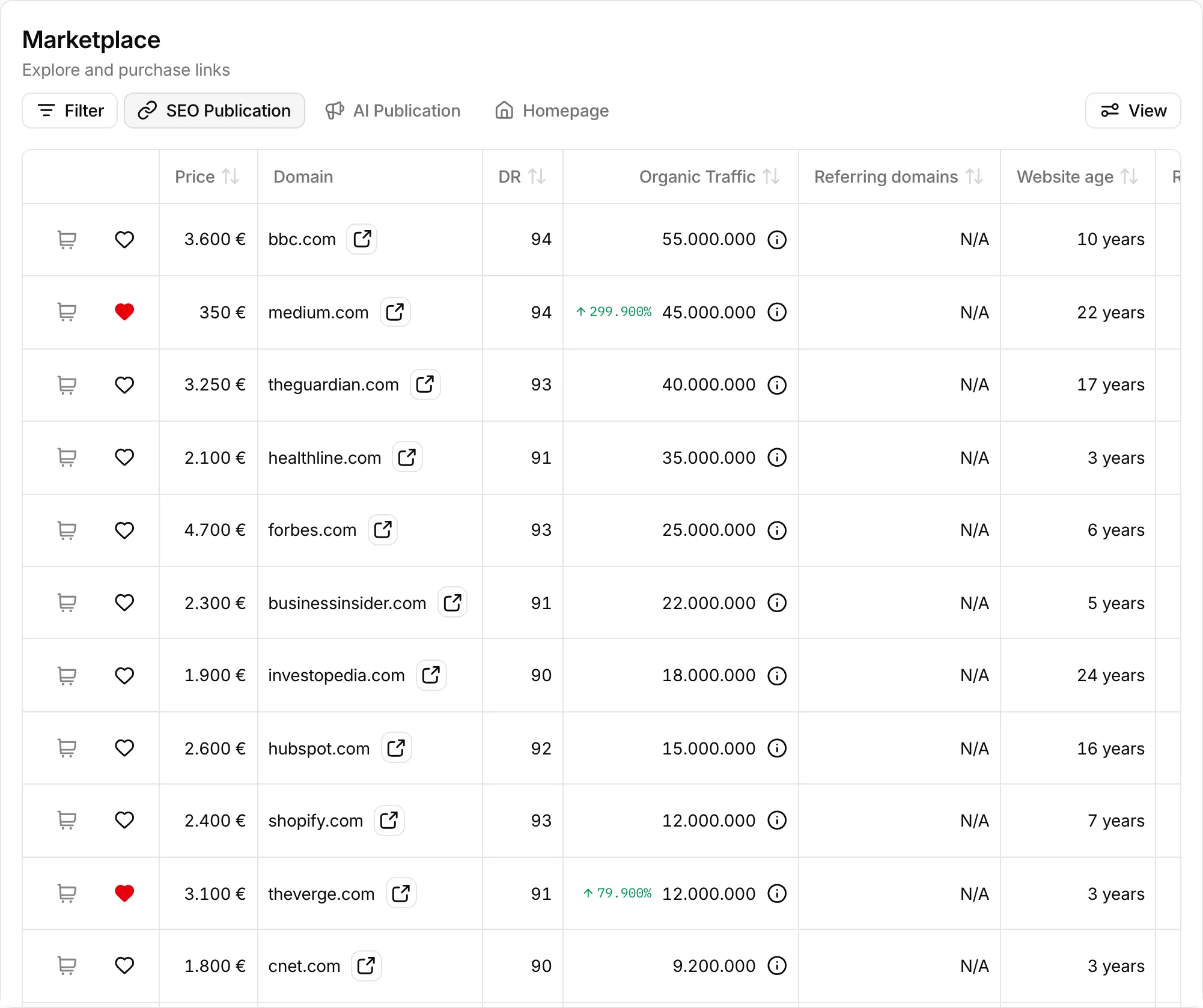
Pick the project you are buying for#
Select a project in the project switcher, next to the search bar, before you shop. Until you do, the cart buttons stay disabled. The project changes three things:
- Price: some sites charge more for certain industries, and the price already includes that for your project's industry. An industry icon next to the price shows it. Hover it for the multiplier, for example Price including 1.5x multiplier.
- Which sites accept you: if a site does not accept your project's industry, its cart button is disabled. Hover it for the reason. Choose another project, or request an industry change from the icon next to the project switcher.
- Relevance Score: how closely each site matches your project's site. The score is hidden while you search by name, but filters still work.
Your filters and sort order are saved on the project, so switching project brings back the view you last used for it.
Choose a publication type#
The tabs above the table switch between three kinds of placement. Each site has its own price for each one.
- SEO Publication: an article with at least one dofollow link to your site. Use it to build links that pass authority. SEO Performance shows whether your rankings move.
- AI Publication: an article with no links, or nofollow links only. Use it for brand mentions that AI assistants pick up. AI Visibility tracks whether they do.
- Homepage: a link from the publisher's homepage.
You choose who writes the article later, in the cart.
Find sites that fit#
Search for a domain or keyword, or paste several domains separated by commas or new lines. To narrow the list, use Filter. The ones most people use are:
- Price, DR (Domain Rating), Organic Traffic, and Referring domains
- Country, Content Language, and Category
- Allowed Industry: sites that accept a given industry
- Backlinks: hide sites that already link to your project, or show only those
- Favorites: only sites you have saved
- Low Metrics: also show sites with low authority metrics, which the list leaves out by default
Select a column header to sort. View shows, hides, and reorders columns.
A mark next to a domain tells you whether that site already links to your project. Hover it to see if the link is dofollow, nofollow, or still pending verification. A nofollow link from a site does not rule it out: a dofollow placement there is still worth having.
Add placements to your cart#
Select the cart button on a row to add that placement to your cart for the active project. Select it again to take it out. If the site is already in your cart for another project, the button asks whether to Add it for this project too or Remove it from the other.
The heart saves the site to your favorites so you can filter on it later.
When you are ready, open the cart to choose a content product and place the order.
Request a site that isn't listed#
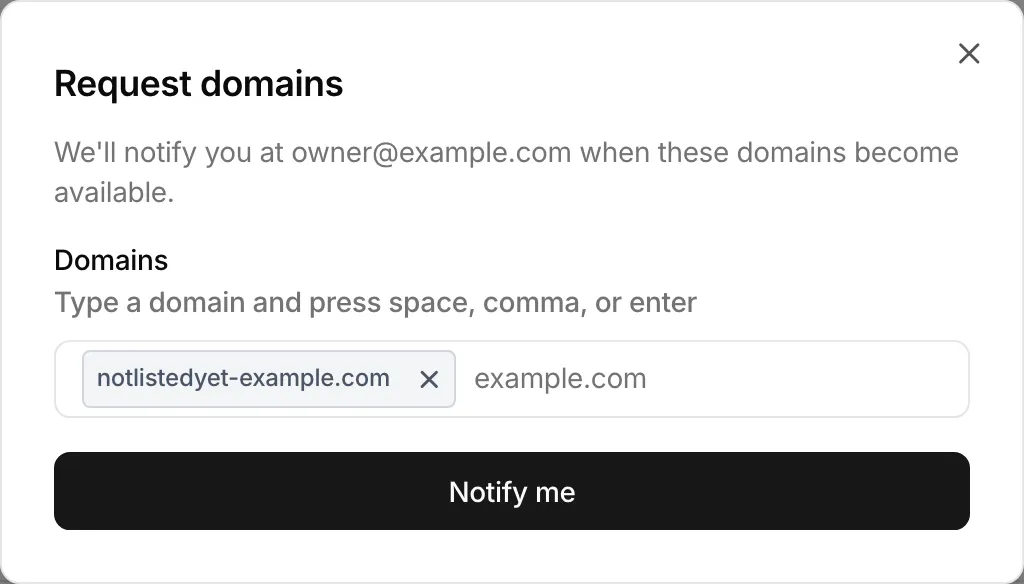
If a search finds nothing, select Request a domain. Add one or more domains and select Notify me. Serpier notifies you at your account email when a requested domain becomes available. If one of them is already listed, Some domains are already available! offers Take me there.
Navi can also search the Marketplace for you and suggest sites that match your project.