For publishers
Getting started as a publisher
Join your publisher workspace from Serpier's email or by signing up, choose whether you also buy publications, and find My Deals and Publications.
Open Getting started as a publisher in SerpierThis is where selling placements on Serpier starts: you get into your publisher workspace, either from Serpier's email or by signing up. From there you list your sites and prices on My Deals, publish the articles that arrive in Publications, and keep your prices current with Pricing review.
Join from Serpier's email#
Serpier invites publishers through the pricing review email. The link in it is tied to one publisher organization and to the contact email it was sent to.
- Select Open publisher platform in the email, or Review pricing in publisher platform in the follow-up. The page shows your organization and the contact email.
- If you are new, fill in Create publisher access: your Name and a Password of at least 8 characters. Tick I have read and agree to the Publisher Terms and Conditions, then select Create account. If you already have an account, use Sign in to your workspace.
- Serpier opens My Deals. If the email listed deals that need attention, the table is filtered to those deals.
If you are signed in with another email, the page offers Sign out and continue as the contact email on the invite.
Sign up without an invite#
You can also create an account yourself; see Getting started. During setup:
- Under What does your company do?, choose Sell publications.
- Under Do you own the sites?, choose Yes, I own the sites or No, other sites.
Serpier then looks for a publisher workspace already linked to your email. If it finds one, select Join workspace (or Open workspace if you already have access). If not, it creates a new publisher workspace for you. Either way you land on My Deals. If more than one workspace matches your email, Serpier asks you to contact it before you can finish.
If you also buy publications#
The first time you join a publisher-only workspace from the email, Serpier asks Do you also want to buy links?
- Yes, I'm buying links: the workspace supports both selling and buying. You keep Publisher tools and also get the Marketplace, cart, orders, and monitoring.
- No, I'm not buying links: the workspace stays a publisher workspace.
Select Continue to workspace after you choose. If you already belong to the organization, Serpier skips the question.
Find your way around#
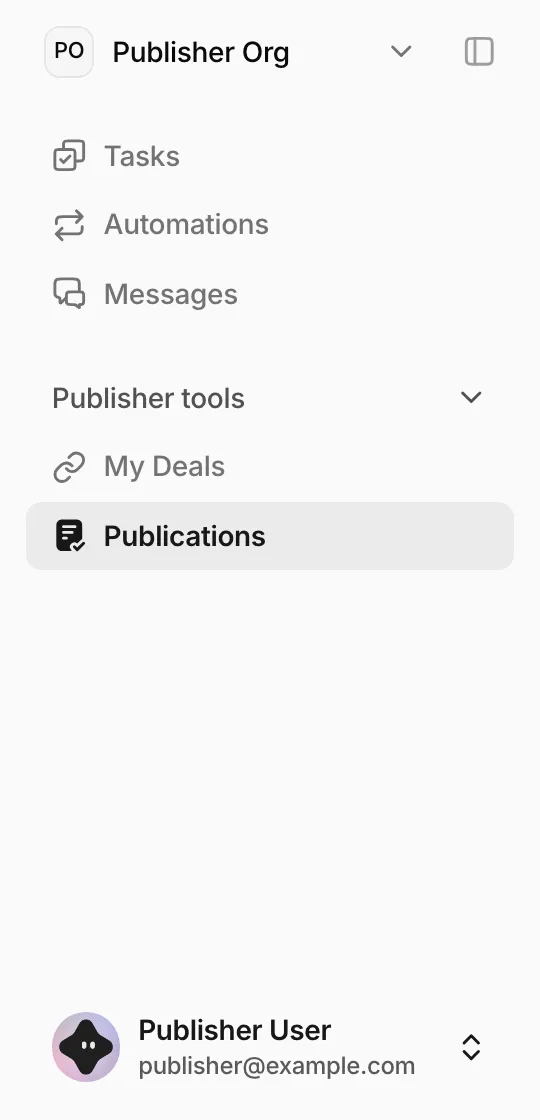
Everything you need as a publisher sits under Publisher tools in the sidebar:
- My Deals: the sites you sell, their prices, and the niches you accept.
- Publications: articles Serpier has sent you to publish, and their live links.
Messages is where you talk to the Serpier team; see Messages. To bring colleagues into the workspace, invite them from Account settings.
Publisher terms#
Creating an account means accepting the Publisher terms, the General Terms and Conditions – Publishers issued by Serpier ApS. They cover use of the portal, content standards, publication and verification, invoicing, and non-solicitation. Read them before you accept. Returning users see a short note that continuing agrees to the Terms of Service on that page and the Privacy Policy.